Projects · Vorratskammer · Deutsch
Support for the “Vorratskammer” app
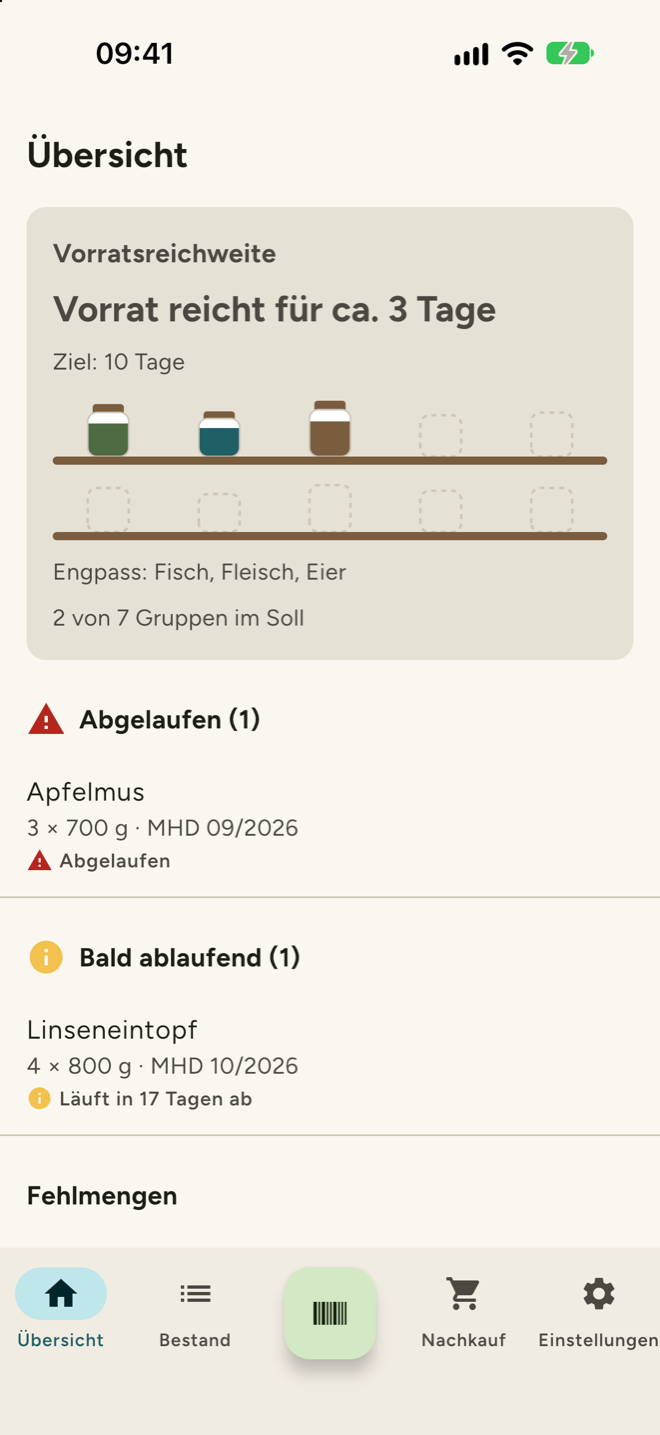
Vorratskammer helps you keep track of your emergency food supply: add items by scanning their barcode, keep an eye on best before dates, compare target and actual amounts for each food group and see what to restock. On this page you will find answers to common questions and how to reach me if something doesn’t work.
Contact
Send me an email at info@zimmer-se.de. If you are reporting a bug, it helps to include your device model, your iOS or Android version, the app version and a short description of what you did and what happened. A screenshot is often useful; please make sure it doesn’t show any data you don’t want to share.
I usually reply within a few working days. How I handle your request is described in section 4 of the privacy policy of this website (in German).
Frequently asked questions
Do I need an account?
No. The app works without signing in, and all data stays on your device. Only if you want to share your supplies with others in your household do you sign in with your own cloud storage provider.
How do I share my supplies with my household?
In the app’s settings, connect a shared folder in your iCloud Drive, Google Drive or OneDrive. The other people in your household connect to the same folder after you have shared it with them in your cloud storage. There is no app server involved; the data is stored only in your folder.
A barcode is not recognised.
Product data comes from Open Food Facts, a free and open database. If a product is missing there, you can add it manually in the app. If you like, you can also add the product on openfoodfacts.org so that everyone can find it in future.
The scanner doesn’t show a camera image.
The app needs permission to use the camera. You can grant it for Vorratskammer in your device’s settings. The camera is only used to scan barcodes; no pictures are stored or sent.
I don’t get reminders about expiring food.
Check in your device’s settings that notifications are allowed for Vorratskammer, and in the app that expiry reminders are turned on. Reminders are created locally on your device.
Where do the target amounts come from?
They are based on the recommendations of the supply calculator of the German Federal Ministry of Agriculture, Food and Regional Identity (BMLEH). You can adjust the targets for each food group to suit your household.
How do I delete my data?
To delete local data, uninstall the app. If you have used shared storage, delete the household folder in your cloud storage. I have no access to your data myself.
More details in the privacy policy of the app.